
GetResponse
GetResponse is a comprehensive email marketing and marketing automation platform that helps creators build subscriber lists, run automated campaigns, design newsletters, and sell digital products.
Overview
GetResponse is an all-in-one marketing platform designed to help creators, solopreneurs, and businesses build their audience, automate communication, and drive revenue. It combines robust email marketing capabilities with advanced marketing automation, landing page builders, webinars, and ecommerce integrations.
Key Features
- Email Marketing & Newsletters: Create and send broadcast emails, newsletters, and RSS-to-email campaigns using a drag-and-drop builder and customizable templates.
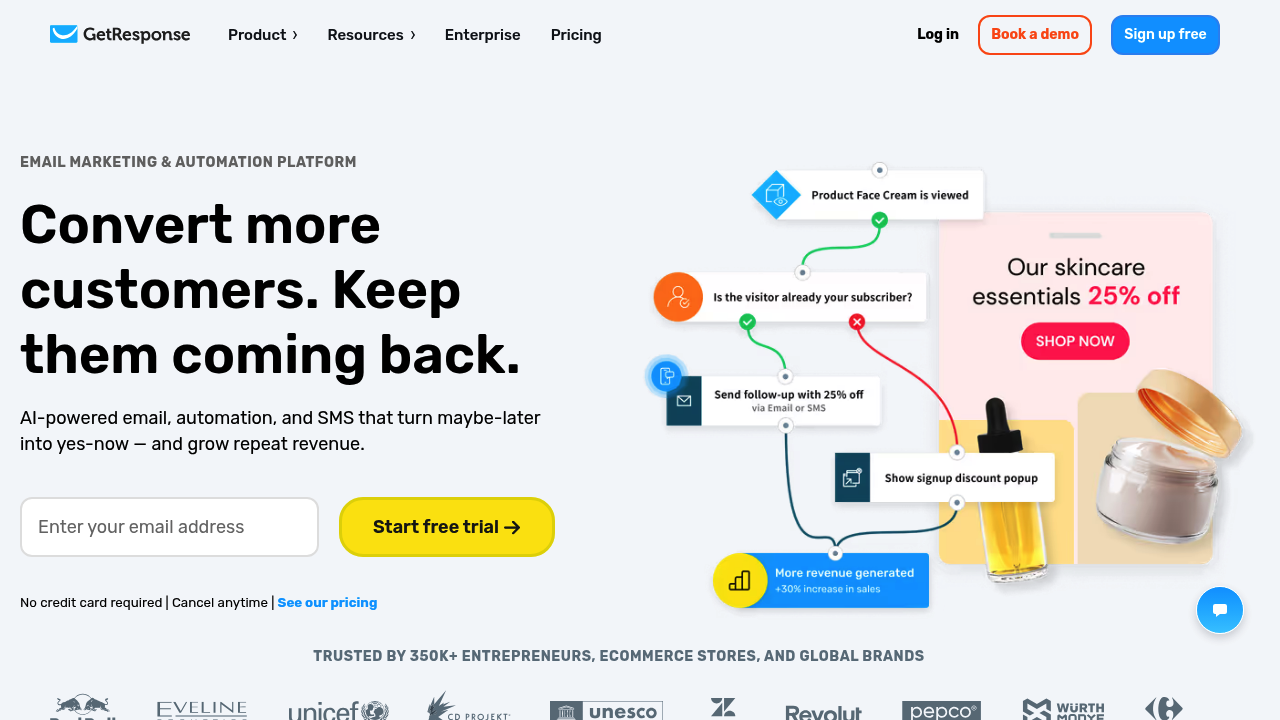
- Marketing Automation: Build visual workflows to automate email sequences based on subscriber behavior, such as opens, clicks, purchases, or cart abandonment.
- Landing Pages & Forms: Design high-converting landing pages and opt-in forms to capture leads and grow your subscriber list without needing coding skills.
- Webinars: Host live or on-demand webinars directly within the platform to engage your audience and sell products or services.
- Ecommerce Integrations: Connect with popular platforms like Shopify, WooCommerce, and Stripe to track sales, sync products, and trigger targeted emails.
- AI Email Generator: Generate email subject lines and content using built-in AI tools to overcome writer's block and speed up campaign creation.
How Creators Can Use It
Creators can use GetResponse to turn their social media followers into a direct, owned audience. For example, a podcaster could offer a free checklist in exchange for an email address, automatically delivering the resource and triggering a welcome sequence that introduces their premium community. A course creator could use the webinar feature to host a live masterclass, followed by an automated sales sequence that promotes their flagship course to attendees.
Workflow Integration
- Lead Capture: Design a landing page and opt-in form within GetResponse, offering a lead magnet (e.g., a free guide or template).
- Automation Setup: Build a visual automation workflow that defines what happens when a subscriber joins the list (e.g., send welcome email, wait 2 days, send value email).
- Content Creation: Use the drag-and-drop editor (or AI generator) to design the emails within the sequence.
- Campaign Launch: Promote the landing page across social channels and content to drive traffic and begin capturing leads.
- Analytics & Optimization: Monitor open rates, click-through rates, and conversions within GetResponse to refine the workflow and improve performance.
Time-to-Value & Learning Curve
- Setup Time: Basic setup, including creating a form and a simple welcome email, can be completed in 1-2 hours. More complex automation workflows require additional time.
- Interface Familiarity: The interface is generally intuitive, especially the drag-and-drop builders. However, the sheer breadth of features (webinars, funnels, ecommerce) can make initial navigation feel overwhelming for beginners.
- Onboarding Resources: GetResponse offers extensive documentation, tutorials, webinars, and a 24/7 customer support team to assist users.
Ecosystem Compatibility
- Direct Publishing Integrations: Integrates natively with platforms like WordPress, Shopify, WooCommerce, PrestaShop, and Magento.
- Export Formats: Subscriber lists can be exported as CSV or TXT files. Reports can often be exported as well.
- Stack Connectivity: Extensive integrations via Zapier, Make, and a robust API for custom connections.
Pricing & Access
GetResponse offers a permanent Free plan for basic email marketing, alongside paid subscriptions. Its official pricing and Free-plan pages list these options for an entry-level contact tier:
- Free: Up to 500 contacts and up to 2,500 newsletters per month, with basic email tools, signup forms, and a limited landing page. New accounts can try premium features for 14 days before reverting to Free-plan limits.
- Starter: From $19/month, or about $15.58/month billed annually. Includes email campaigns, landing pages, and limited automation.
- Marketer: From $59/month, or about $48.38/month billed annually. Adds more advanced automation, segmentation, and ecommerce functions.
- Creator: From $69/month, or about $56.58/month billed annually. Adds creator-focused features such as webinars, courses, and premium newsletters.
- Enterprise: Custom pricing and higher-volume support.
Paid prices change with contact-list size, billing cycle, and plan selection. Features such as webinar attendance, automation workflows, and landing-page traffic have plan-specific limits. A 14-day premium trial is different from the ongoing Free plan.
Business ROI & Time Multiplier
- Time Savings: Automating repeatable email sequences can reduce manual follow-up. Built-in AI writing tools may also help draft campaign copy, which still needs editorial review.
- Financial Leverage: Email sequences can support lead nurturing and product promotion, but results depend on the audience, offer, and campaign quality.
Data Ownership & Portability
- Asset Export: You can easily export your subscriber lists and basic campaign data.
- Lock-In Risk: Moderate. While lists are easily portable, complex visual automation workflows and custom landing pages built within GetResponse cannot be directly exported to competing platforms.
Limitations & Trade-Offs
- Complexity for Simple Needs: If a creator only needs a basic newsletter, the platform's extensive feature set (webinars, funnels) can be overkill and confusing.
- Automation Tiering: Advanced visual automation requires a paid tier; the Free and Starter plans have narrower automation allowances.
- Webinar Limits: Built-in webinars are convenient, but have attendee limits based on your plan tier, which may require upgrading if events grow large.
Who It Is Best For
Established creators, course creators, and businesses that need a powerful combination of email marketing, complex automation workflows, and sales funnels in a single platform.
Who Should Avoid It
Creators who only need a basic newsletter may find the Free plan sufficient, while those needing advanced automation should compare its paid tiers with narrower alternatives.
Last updated